
A LITTLE ESCAPE, ALWAYS WITH YOU
Latest release
Free & open source
Good stories.
Cozy corners.
Just one more chapter.
Your favorite manga, manhwa, and manhua, all in one quiet little place. Discover your next obsession and take it offline. No ads. No interruptions. Just you and the story.
Made for Android Free to download Yours to explore
1,360+
Places to discover
0
Ads. Ever.
100%
Offline ready
 WELCOME TO YOUR READING NOOK
A whole world.
In your pocket.
In your pocket.
THOUGHTFULLY MADE FOR READERS
Everything you need.
Room to get lost.
A little less friction. A lot more reading. Meet the details that make Tarumi feel like home.
Your next favorite is out there.
Explore 1,360+ sources for manga, manhwa, and manhua. From familiar favorites to unexpected finds, there's always another world waiting.
Keep the story moving.
Complete a source's browser check and return to your chapter with your reading session intact.
Set your own mood.
Soft light, midnight dark, or a comforting coffee palette. Make your reading space feel like you.
Take your stories anywhere.
Save chapters for the train, the flight, or your favorite quiet spot. Your reading time doesn't need Wi-Fi.
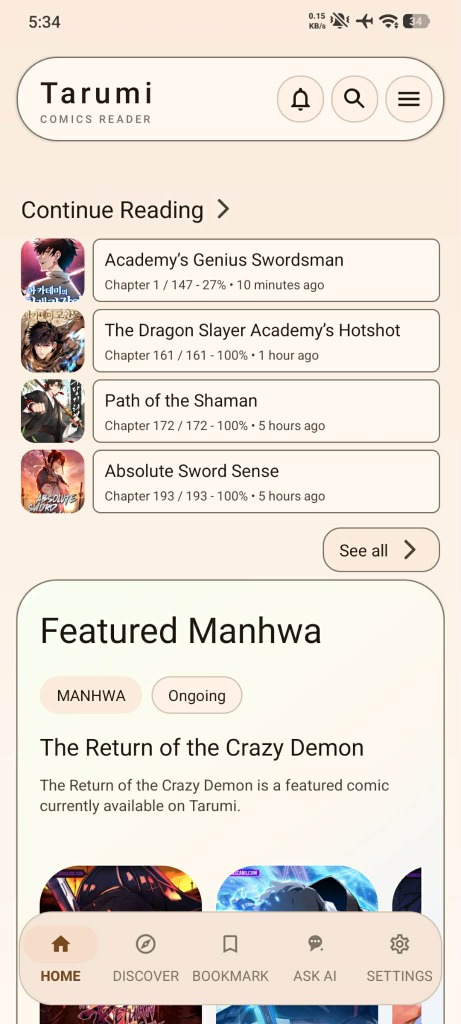
Pick up where you left off.
Keep your favorites close. When a source changes, bookmark repair helps you find the story again.
Read your way.
Turn the page or scroll into the next scene. Switch between classic manga pages and long-form webtoons.
A space that's yours.
Protect your library with a passcode or fingerprint, and explore with Incognito mode when you want to.
Keep your lists together.
Connect AniList, MyAnimeList, Kitsu, or Shikimori and keep your chapter progress in step.
A PEEK INSIDE
Meet your new
favorite reading ritual.
A familiar place for every chapter. Explore the real app, one little detail at a time.
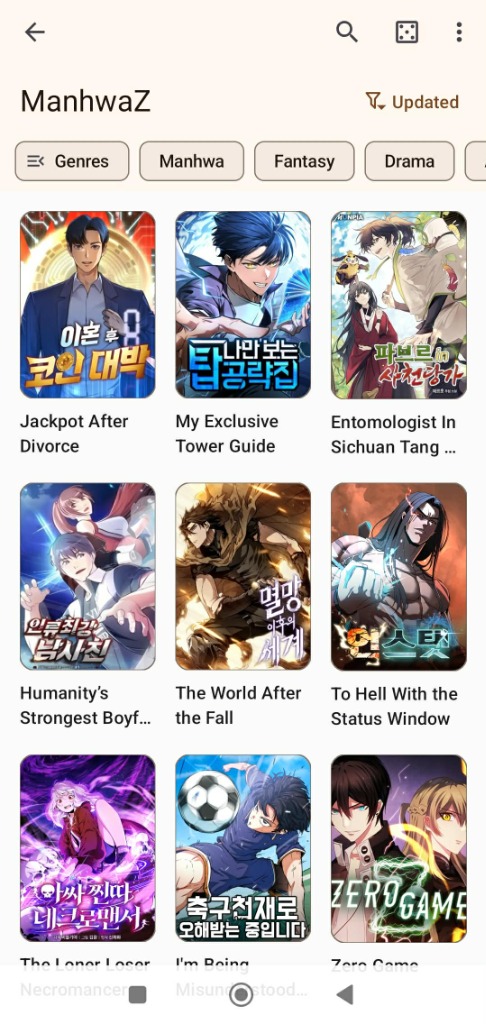
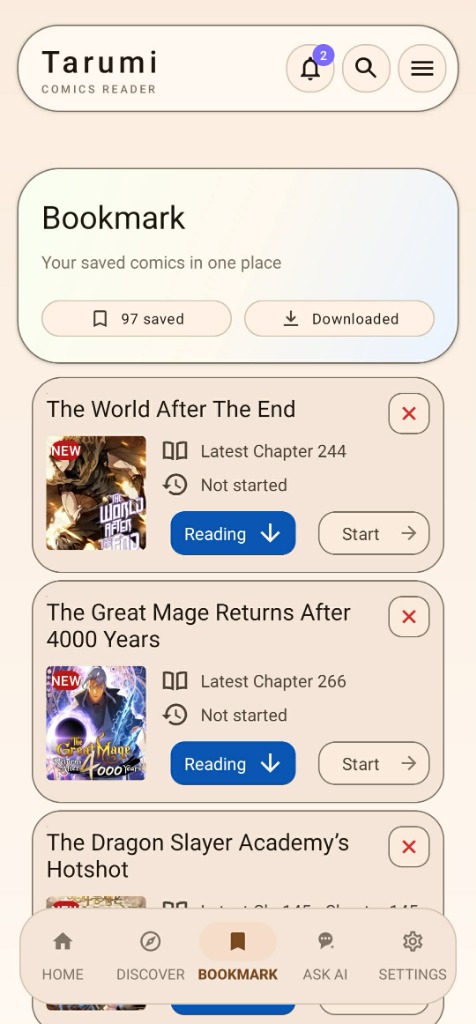

Slide 1 of 5: Discover
FROM THE FIRST PANEL TO THE LAST
Less in the way.
More of the story.
Let the artwork take center stage. A full manga page or a flowing webtoon — choose the way you love to read.
A good chapter travels well.
Download in the app, then read wherever you find a moment.
Original sample artwork. Illustrative reader mockup.
Page mode1 / 1
A complete page, at a glance.
YOUR NEXT CHAPTER STARTS HERE
Make yourself
at home.
Bring your favorite stories along. Get the latest official Android build, find a comfortable spot, and start reading.
Release & Upgrade Info (v1.6.6 Out Now)
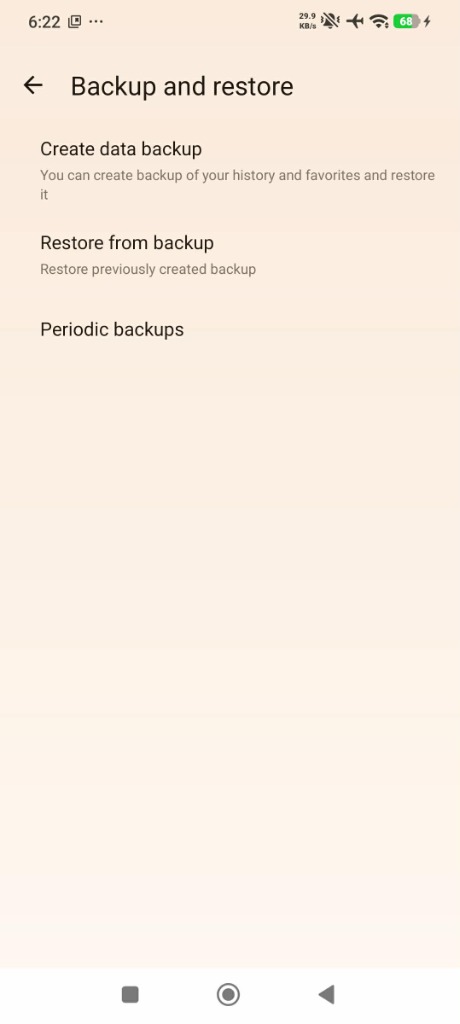
Users on v1.6.5 (and v1.6.4) can install v1.6.6 directly as a seamless in-place update. If upgrading from an old debug build (com.tarumi.reader.debug), follow these steps to preserve your reading data:
- Create a data backup: Go to Settings → Backup & restore → Create data backup and save it.
- Uninstall your old
app-debugversion. - Install the latest
app-release.apk(Package ID:com.tarumi.reader). - Restore progress: Open the app, go to Settings → Backup & restore → Restore and pick your saved backup.
Build Information
Version
v1.6.6
Package Name
com.tarumi.reader
File Size
~18.3 MB
Release Date
September 3, 2026
Keystore
Dedicated Tarumi Keystore
ALWAYS GETTING A LITTLE BETTER
Fresh chapters.
Fresh updates.
The latest improvements, straight from our GitHub releases.
Loading releases from GitHub…
A FEW THINGS YOU MIGHT WONDER
Before you
turn the page.
A little help getting comfortable with Tarumi.
Yes. Tarumi is an open-source project licensed under GNU GPLv3. It contains no advertisements, no tracking SDKs, and is completely free to download and use.
1. Download the official app-release.apk file.
2. Open your device's Downloads folder and tap the file.
3. If prompted by Android, enable "Install from Unknown Sources".
4. Confirm the installation and launch Tarumi from your app drawer.
Starting with v1.6.3+, Tarumi is signed with our official release keystore (Package ID: com.tarumi.reader). All future release updates (including v1.6.6) install directly over your existing app without requiring a reinstall!
You can tap the download button next to any chapter or select multiple chapters to save them directly to your device storage. Tarumi also fully supports reading local archives in `.cbz`, `.zip`, and folder formats stored in your local directory.
Tarumi v1.6.6 is a source engine update. It syncs the bundled parsers with the latest Kotatsu-Redo revision, brings a new Indonesian source, repairs several sites that changed their backends, and fixes Eris Scans series that were showing only a fraction of their chapters.
Yes. You can authorize your AniList, MyAnimeList, Kitsu, and Shikimori accounts under Settings. Tarumi automatically pushes updates to your trackers as you read, syncing current chapter progress, ratings, and library card statuses.
DMCA Disclaimer
Tarumi is an offline-first browser and catalog parser tool. The developers of this application do not host, store, or distribute any content displayed inside the app. Tarumi serves as an advanced interface pointing to public online web links. All copyrighted material, trademark identifiers, and content remains properties of their respective owners. Please address any DMCA takedown requests directly to the web domains hosting the raw assets.